
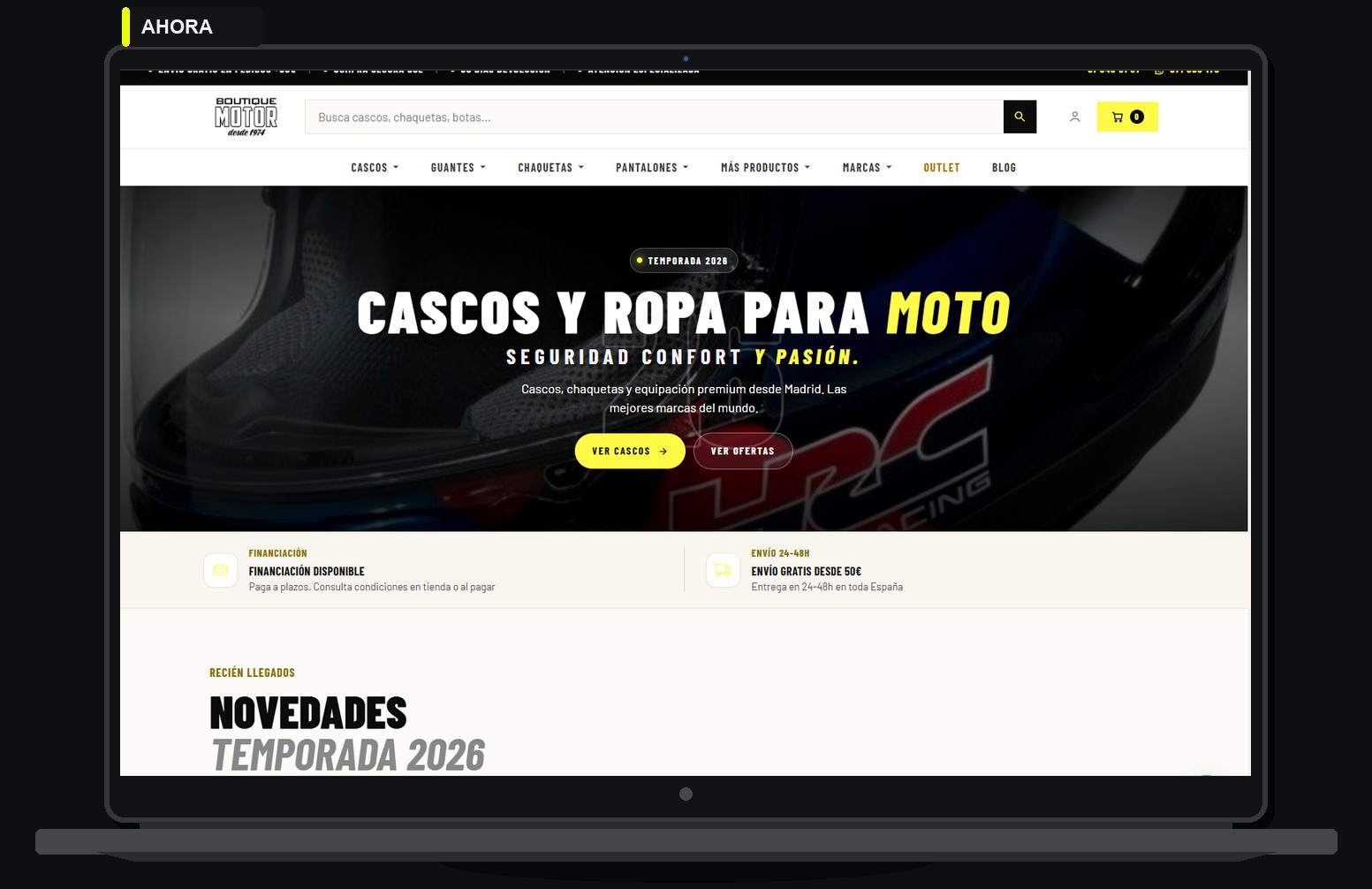
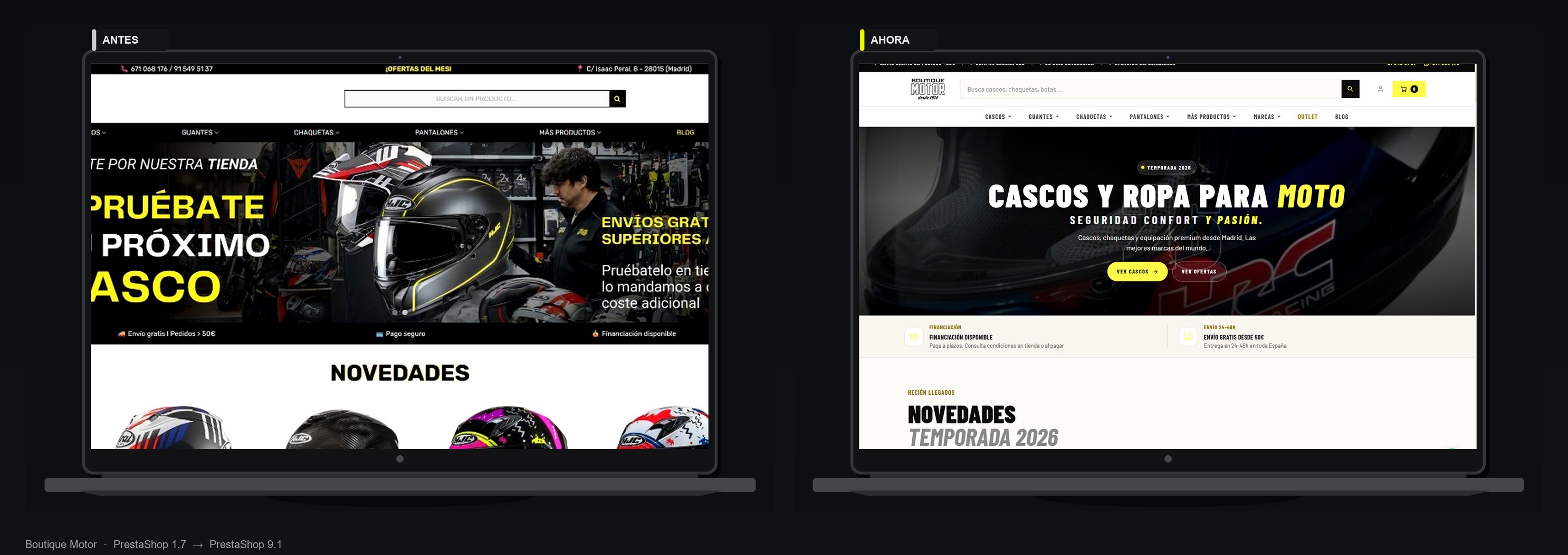
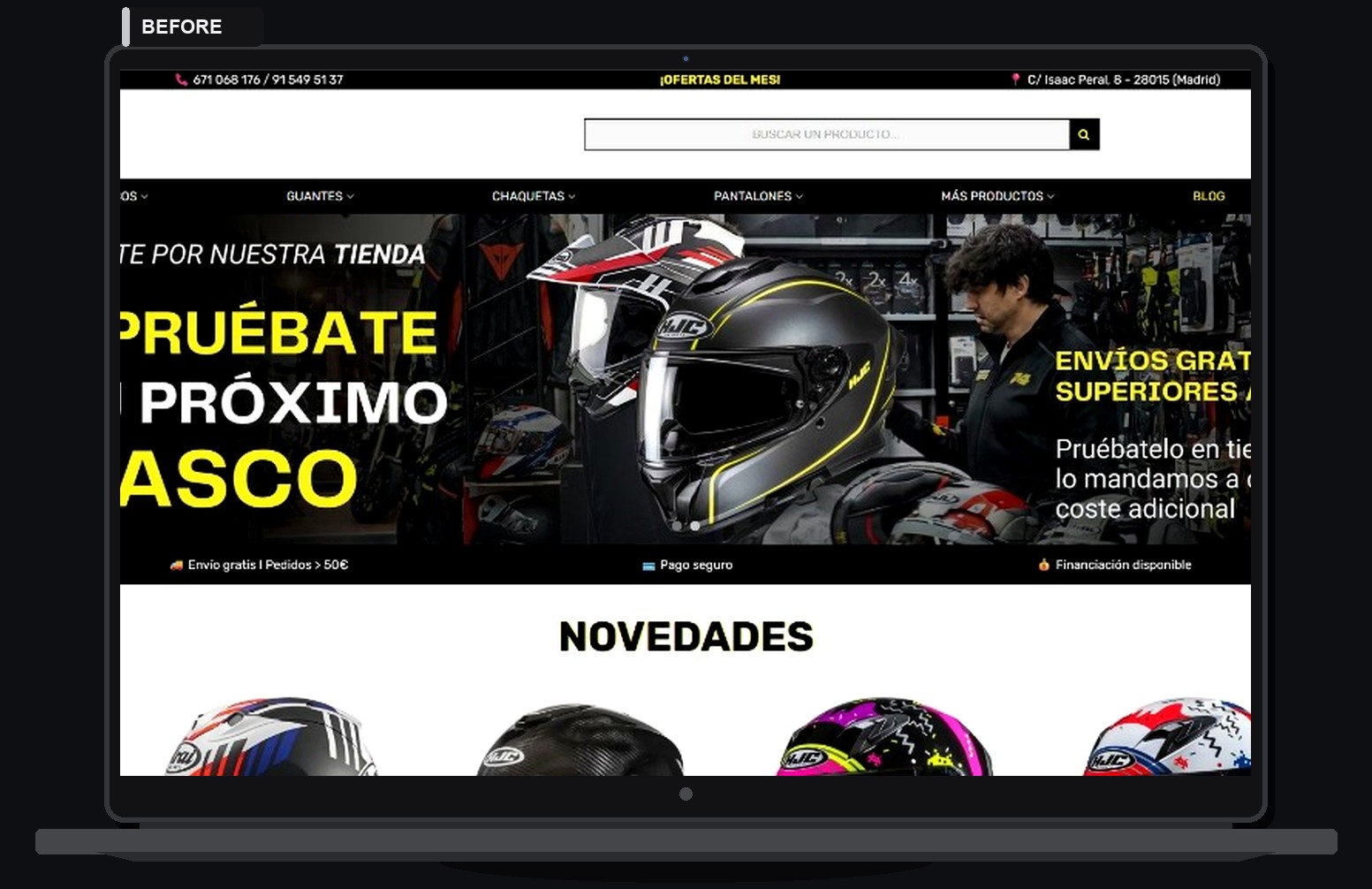
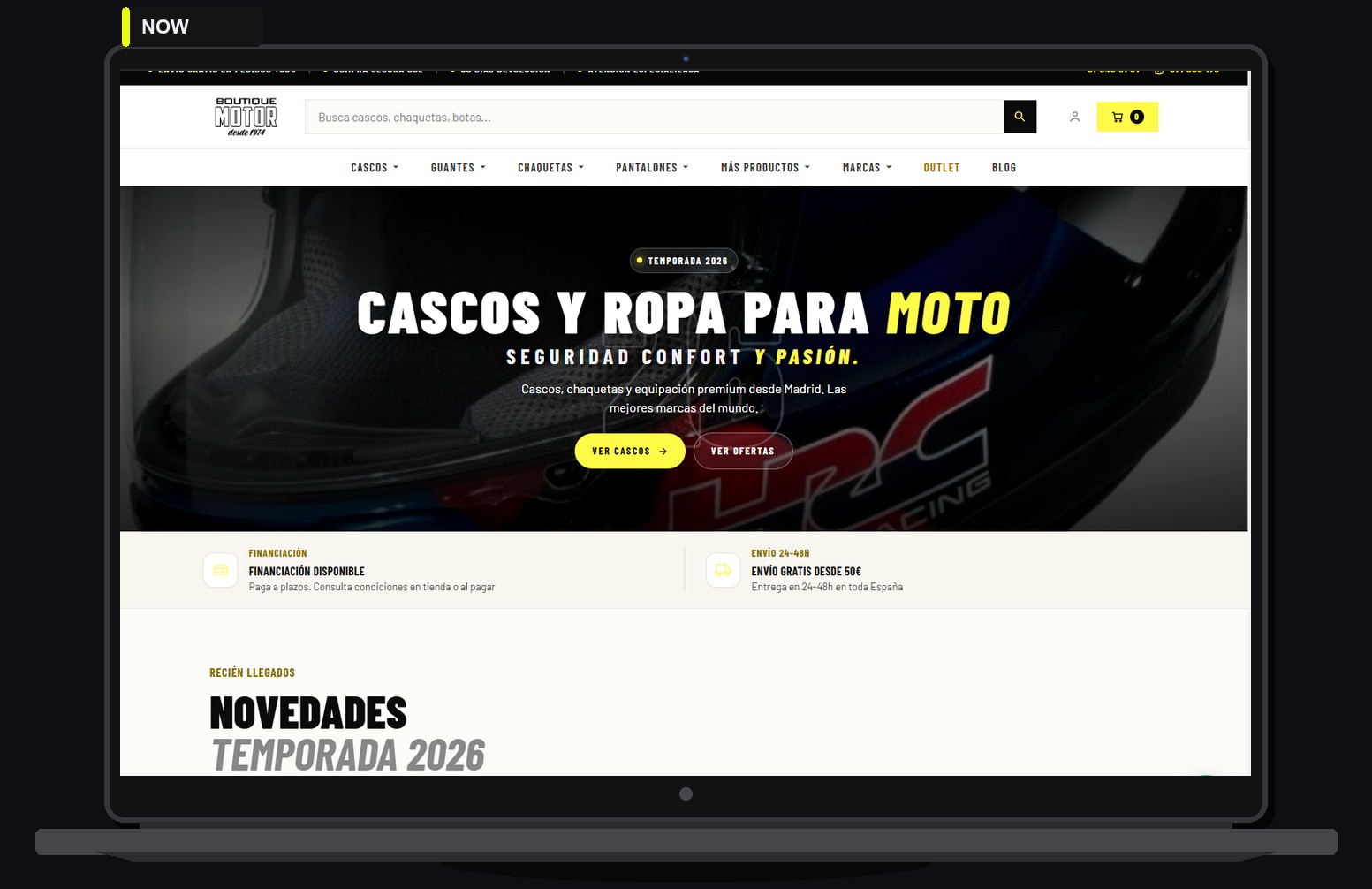
If your store is still on PrestaShop 1.7, the risk is not only looking dated: you drift off the current PHP and PrestaShop 9 path, with more friction on modules, security and SEO. This is the checklist I use as a PrestaShop developer before touching production. Published reference case: Boutique Motor (boutiquemotor.es), rebuilt to PrestaShop 9.1.5 from 1.7 in Madrid.
1. Decide: update or rebuild
Raising the version is not the same as rebuilding. For Boutique Motor a one-click upgrade was not enough: custom Hummingbird theme, custom checkout, SEO URLs without IDs, and POS / feed / cart modules. If Classic 1.7 is heavily patched, a controlled rebuild is often cleaner than a blind upgrade.
Work with a freelance PrestaShop developer who reads the code, not only the back office.
2. Inventory before staging
- Exact 1.7.x version, host PHP and active modules.
- Payment, carriers, ERP, Merchant feeds, POS or odd integrations.
- Overrides and child themes: the usual break points on an 8/9 jump.
- Current URLs (IDs or not) and SEO traffic you cannot lose.
Without this inventory, any quote is guesswork. I start from the live URL.
3. Backup + real staging
Full backup (files + database). Staging on a stack close to production. Boutique Motor went live when catalog, customers and history matched in staging, not when “the home looked nice”.
4. Data: catalog, customers, orders
Migrate without renumbering orders or breaking history. Spot-check customers and addresses. If you sell in-store and online (like Boutique Motor), the catalog must also feed the POS: combinations and barcodes included.
5. Theme and front on PrestaShop 9
A patched 1.7 theme is not a PrestaShop 9 theme. In the Boutique Motor case the boutiquemotor theme starts from Hummingbird: BO-editable home, product, cart and checkout rewritten for the business. That is PrestaShop developer work, not installing an Addons template and hoping.
6. Modules: keep, replace or rewrite
Addons that conflict or do not support 9 get replaced. Boutique Motor needed six custom modules (home/POS/SEO URLs/abandoned cart/Merchant feed/invoices). Full write-up: Boutique Motor case study.
7. SEO: 301s, metas and Merchant
- Old URL → new URL map (301).
- Coherent metas; clean URLs if you leave IDs behind.
- Merchant feed rebuilt and checked after cutover.
- Sitemap and Search Console after go-live.
Without 301s, a “migration” donates rankings.
8. Payments, checkout and a real test order
Whatever collects money in your market is tested end to end in staging and again on production cutover day. A pretty front with a broken checkout is not a finished migration.
9. Controlled go-live
- Agreed window (lower traffic if possible).
- DNS / document root to the new stack.
- Smoke test: home, product, cart, payment, order email, BO.
- Watch 24-48 h (500s, gateway, stock).
10. What to do next
Still on 1.7 and want 8/9 without improvising: send the URL. I tell you update vs rebuild and a closed scope. You speak with the PrestaShop developer who codes - no salesperson in between.
Talk to the PrestaShop developer · Boutique Motor case · Request a quote